
Attachment data extraction
The invoice is attached. The numbers should not have to be typed twice.
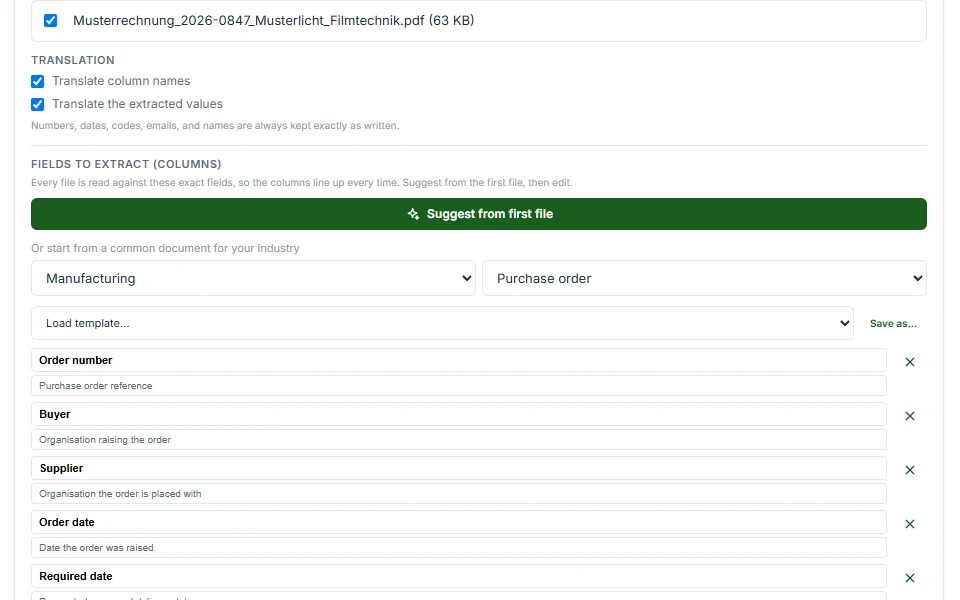
Kerna reads the PDF, DOC or XLS on the message you are looking at, takes the fields you asked for, and gives you a clean row. No parser to configure, no rules to write, nothing to leave the inbox for.
How to pull the data out of an attachment
- 1
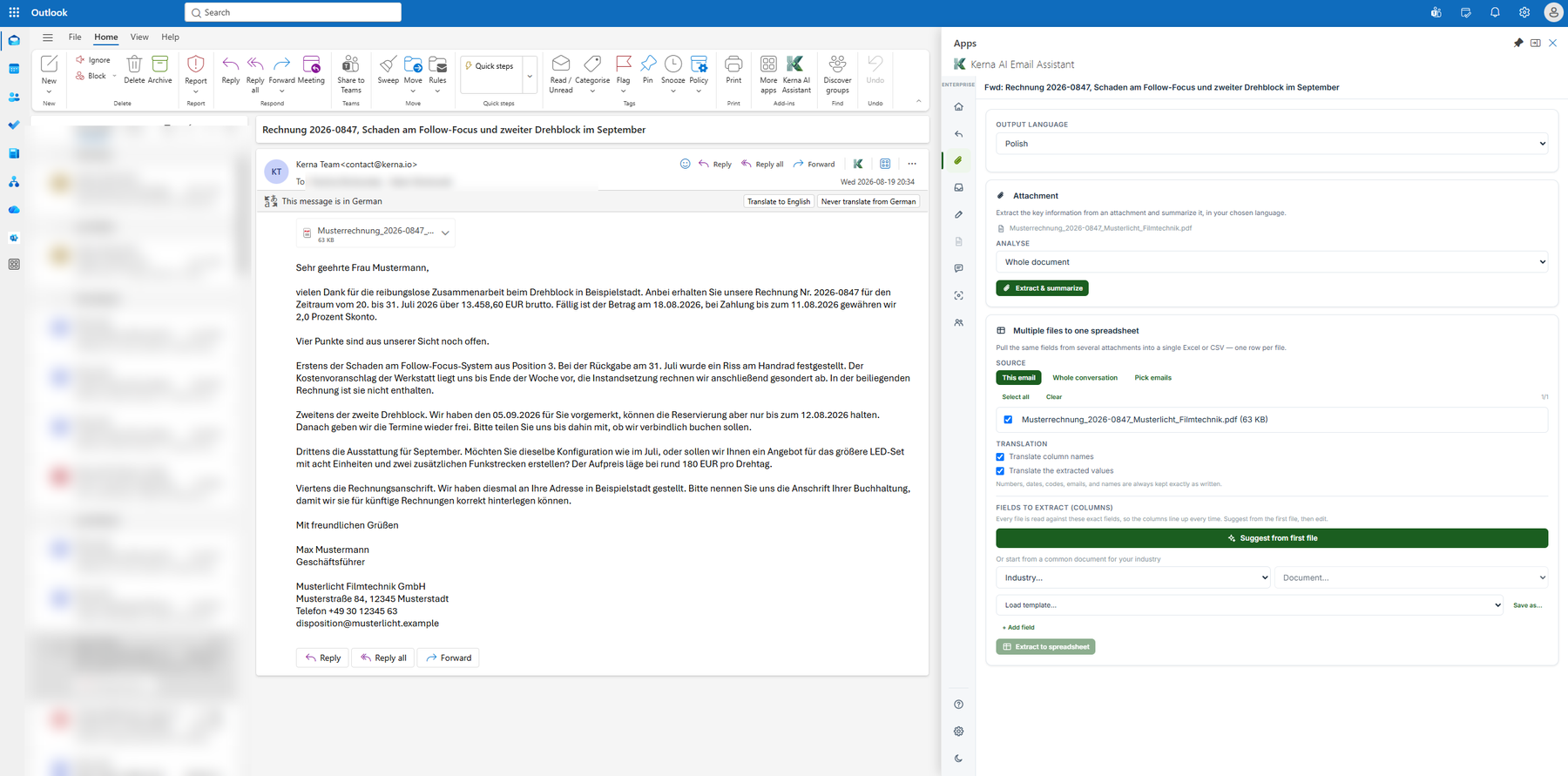
Open the message
The one with the invoice, the contract or the delivery note on it. Kerna is already in the sidebar, so there is no separate upload step and no second tool to open — you point at the attachment from the message it arrived on.
- 2
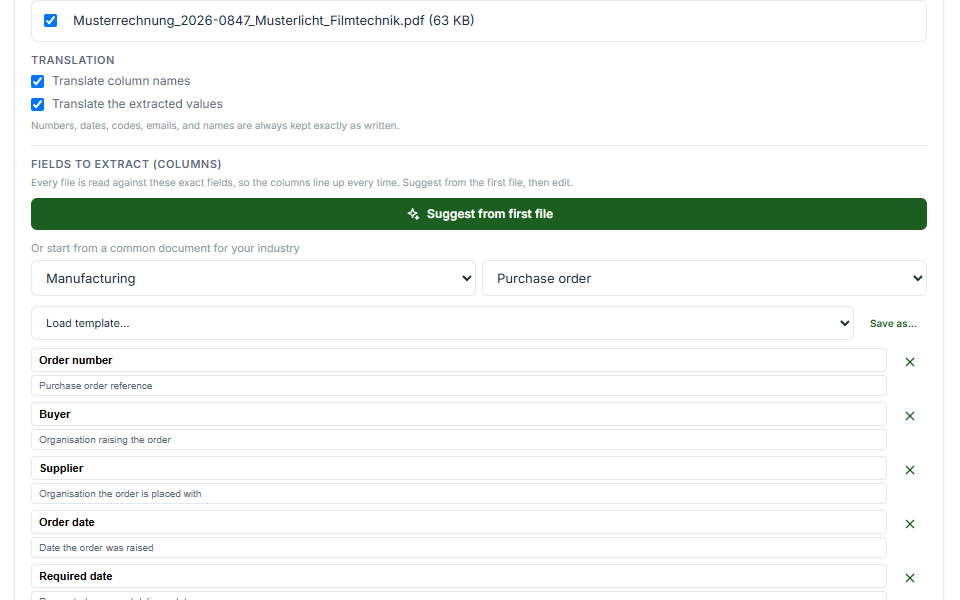
Pick the set of fields
Choose the ready-made set that matches the document. Twenty industries, five document types each, so the fields are already named before you start rather than being something you define from nothing.
- 3
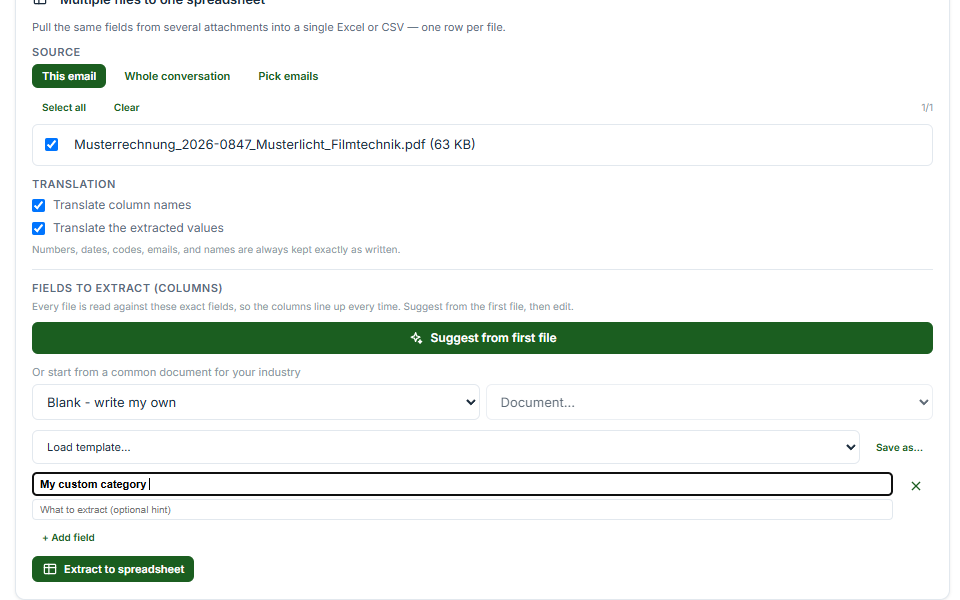
Add the fields your company needs
A ready-made set covers the common case, not your case. Add your own fields and Kerna looks for those too, so the internal reference your finance team actually keys on comes out alongside the invoice number.
- 4
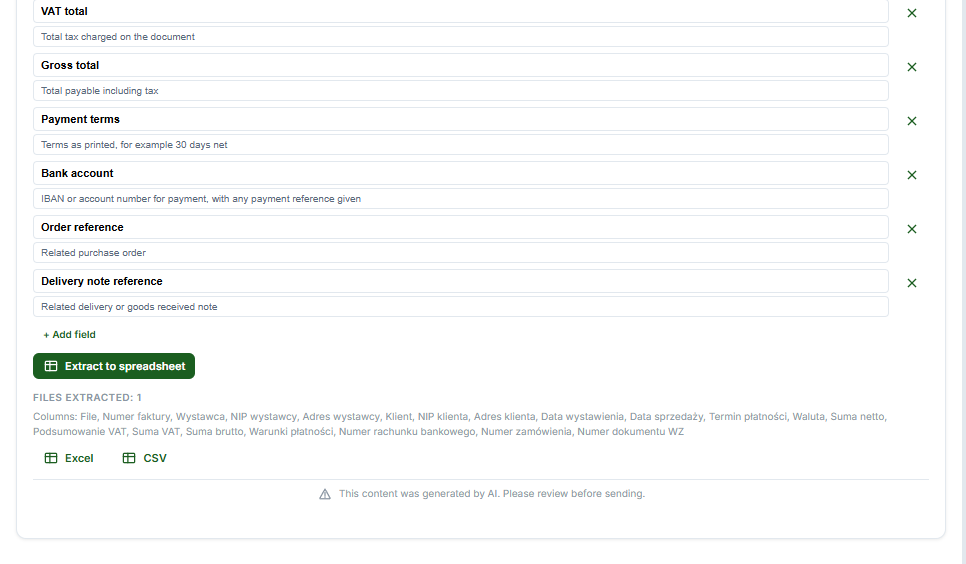
Export it
Gmail writes a Google Sheet or a Google Doc. Outlook writes an Excel file, a Word file or a CSV. Every export creates a new file rather than adding to one you already have. Check the values against the document before you use them.



What you are left with
The fields you asked for, in a file you can work in — named the way the field set named them, one row per document.
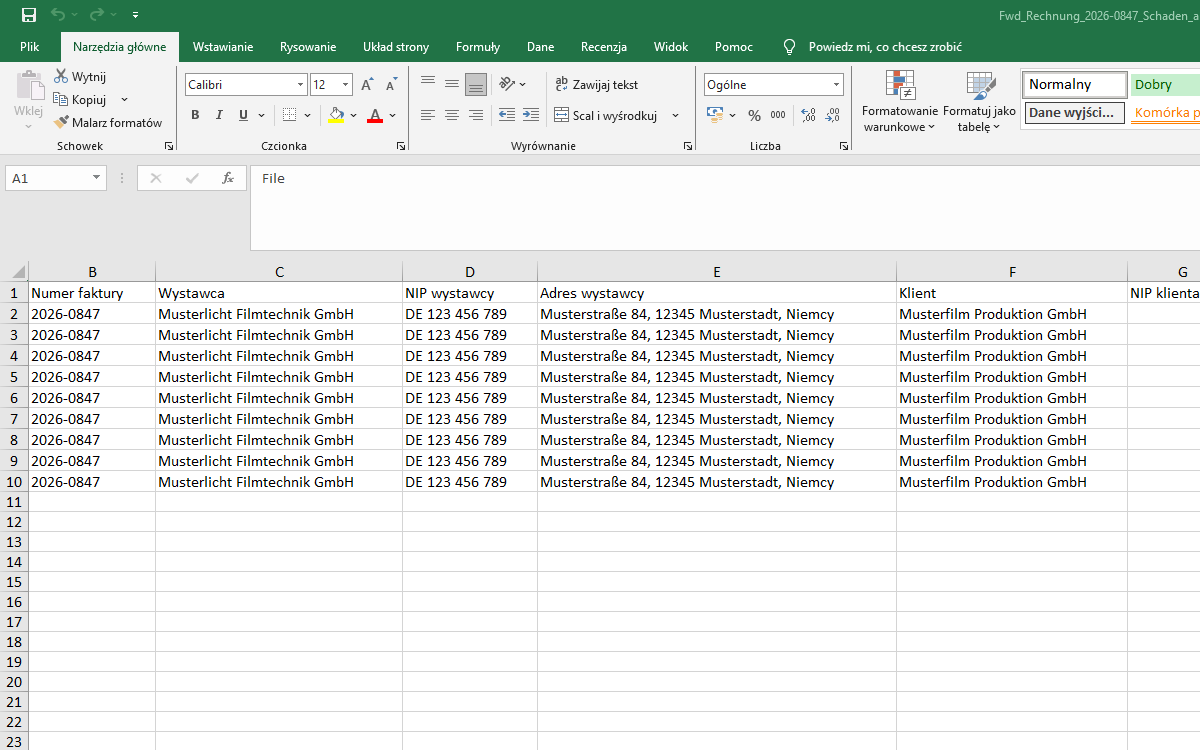
What comes out, and where it lands
The two surfaces differ here, and it is worth knowing which one you are on before you plan a workflow around it.
In Gmail
- Runs on
- One attachment at a time
- Exports to
- Google Sheets or Google Docs
- Each export
- A new file, never appended to an existing one
In Outlook
- Runs on
- Every attachment on the message at once, or just one
- Exports to
- Excel, Word or CSV
- Each export
- A new file, never appended to an existing one
What you can point it at
PDF is the common case, and DOC and XLS work too. Most of what arrives attached to a business email is one of those three.
A hundred ready-made field sets, not a blank box
Twenty industries with five document types each. The fields are named for you before you start, which is the difference between a tool you use today and one you were going to configure at some point.
Your fields as well as ours
Add whatever the ready-made set does not cover. The purchase order line your ERP needs, the site code, the contract reference nobody outside your company would think to look for.
Where the document goes
The application runs on Cloud Run in Belgium with Firestore in Poland. Model processing is contracted with OpenAI Ireland Limited under a signed zero data retention agreement, and personal data is removed before content reaches the model. That matters more here than almost anywhere else in the product, because an invoice carries somebody else’s commercial terms as well as your own.
Questions
- How do I get data out of a PDF invoice attached to an email?
- Open the message in Gmail or Outlook with Kerna installed, choose the ready-made set of fields that matches the document, add any field it does not already name, and export. Gmail produces a Google Sheet or Doc, Outlook an Excel, Word or CSV file, a new one each time.
- Which file types can Kerna extract data from?
- PDF, DOC and XLS.
- Can I extract from several attachments at once?
- In Outlook, yes: every attachment on the message in one pass, or a single one if that is all you need. In Gmail it is one attachment at a time.
- Can I choose which fields are extracted?
- Yes. Every ready-made set comes with its fields already named, and you can add your own on top for anything specific to how your company works.
- Does it overwrite my existing spreadsheet?
- No. Every export creates a new file. Nothing you already have is appended to, overwritten or reordered.
- How is this different from an email parser like Parseur or Mailparser?
- A rule-based parser is set up once and then runs on its own: you define what to pull out ahead of time, and it processes what arrives without anyone present. That suits a high volume of documents that all look the same. Kerna works the other way round. You open a message, point at the attachment and take the fields out once, with nothing configured beforehand — the hundred ready-made sets are the configuration. It fits the case where documents arrive from different senders in different shapes and somebody has to look at them anyway.
- Does the attachment leave my mailbox?
- It is read by Kerna, which runs on Cloud Run in Belgium with Firestore in Poland, and it is read only when you press the button. Personal data is redacted inside Kerna before anything is sent to the model. Model processing is contracted with OpenAI Ireland Limited under a signed zero-retention agreement, and as our Privacy Policy states, certain sub-processors may process data outside the EEA under Standard Contractual Clauses. Nothing from the document is retained after the response comes back.
Try it on the next invoice that arrives
Free to start, in the inbox you already use. No migration, no card, and personal data is redacted before anything reaches the model.
See the whole workflow·For export managers·Where your email goes·See pricing